
Step 1: Set Up Google Search Console
- Go to Google Search Console.
- Click on “Start Now” and log in with your Google account.
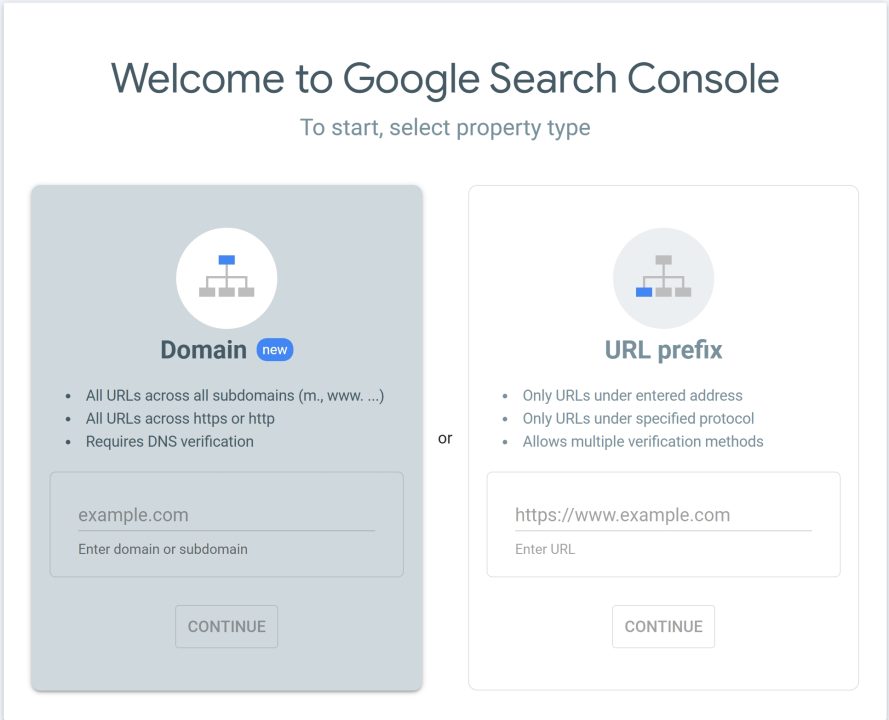
- Choose a property type:
- Domain (tracks all subdomains and protocols) – requires DNS verification.
- URL prefix (tracks a specific URL path) – can be verified via multiple methods, like an HTML file, tag, etc.
- Verify your website ownership using one of the methods provided (HTML tag, Google Analytics, Google Tag Manager, or DNS).
Step 2: Submit Your Sitemap
- In the GSC dashboard, go to Index > Sitemaps.
- Enter the path to your sitemap (e.g.,
sitemap.xml) and click Submit. - This helps Google crawl and index your site efficiently.
Step 3: Understand the Performance Report
- Navigate to Performance > Search results.
- Here, you’ll find:
- Total Clicks – How many users clicked your site in search?
- Total Impressions – How many times has your site appeared in search results?
- CTR (Click-Through Rate) – Clicks ÷ Impressions.
- Average Position – Your average ranking in Google for queries.
- Use filters:
- By Query (what people searched for),
- Page, Country, or Device.
- Export this data for analysis in Excel/Sheets.
Step 4: Monitor Index Coverage
- Go to Index > Pages.
- Review:
- Indexed pages – Successfully crawled and indexed.
- Excluded – Not indexed (due to redirects, canonical tags, etc.).
- Errors – Pages that couldn’t be indexed (fix these quickly).
- Fix errors like:
- 404 Not Found
- Server Errors (5xx)
- Blocked by robots.txt
Step 5: Inspect URLs
- Use the URL Inspection Tool to check:
- If a specific page is indexed.
- Last crawl date.
- Mobile usability.
- You can Request Indexing after fixing an issue or updating a page.
Step 6: Review Enhancements
- Under Enhancements, check:
- Core Web Vitals – Loading speed, interactivity, visual stability.
- Mobile Usability – Whether your pages are mobile-friendly.
- Breadcrumbs, FAQs, and other structured data (if used).
- Fix issues to improve UX and SEO.
Step 7: Track Manual Actions & Security Issues
- Go to Security & Manual Actions:
- If Google has penalized your site, it will appear here.
- Fix any issues and request a review if applicable.
Step 8: Link Analysis
- Go to the Links section.
- Review:
- Top linked pages (externally and internally).
- Top linking sites – Check for spammy backlinks.
- Top linking text (anchor text).
Tips:
- Use GSC data in Google Data Studio for custom dashboards.
- Check GSC weekly to spot and fix issues before they affect rankings.
- Combine with Google Analytics for deeper insights into behavior after clicks.