
Why SEO Matters for Small Businesses
SEO for small businesses is one of the most effective ways to grow online without relying on paid advertising.
Today, over 90% of online experiences begin with a search engine, and Google processes more than 8.5 billion searches per day. If your business doesn’t appear in search results, you’re invisible to potential customers.
The good news? You don’t need a massive budget or technical background to succeed with SEO.
This guide is designed specifically for beginners and small business owners. You’ll learn SEO step by step — from setting up your website correctly to finding keywords, optimizing content, and building long-term visibility.
This guide will focus on SEO for small businesses, providing insights that help you attract more customers.
By the end, you’ll have a practical roadmap to attract qualified traffic and grow your online presence sustainably.
Table of Contents
What Is SEO? (Simple Explanation for Beginners)
SEO stands for Search Engine Optimization.
In simple terms, SEO means improving your website so search engines understand your content and show it to people actively searching for your products or services.
SEO focuses on three core areas:
- Creating helpful, relevant content
- Making your website technically accessible
- Building credibility over time
Unlike ads, SEO delivers long-term results. Once your pages rank, they can bring traffic for months or even years.
For small businesses, this makes SEO one of the highest-ROI marketing strategies available.
How Google Finds and Ranks Websites
Google uses automated programs called crawlers to discover web pages. These pages are stored in Google’s index.
When someone searches, Google evaluates pages based on:
- Relevance to the query
- Content quality and depth
- User experience (speed, mobile friendliness)
- Trust signals such as backlinks and business legitimacy
SEO simply helps Google understand that your website deserves visibility.
Step 1: Set Up Your Website for SEO
Before focusing on keywords or content, your website needs a solid foundation.
Domain + Hosting Basics
Choose a domain related to your business and reliable hosting with good uptime and speed. Always use HTTPS and avoid free domains.
WordPress Setup
After installing WordPress:
- Confirm site title and tagline
- Enable search engine indexing
- Set permalinks to Post name
- Create About and Contact pages
These steps establish trust and usability.
Essential Plugins
Keep plugins minimal:
- Rank Math for SEO
- A caching plugin for speed
- A contact form plugin
- Basic security plugin
Too many plugins slow your site and create conflicts.
Step 2: Google Search Console & Sitemap
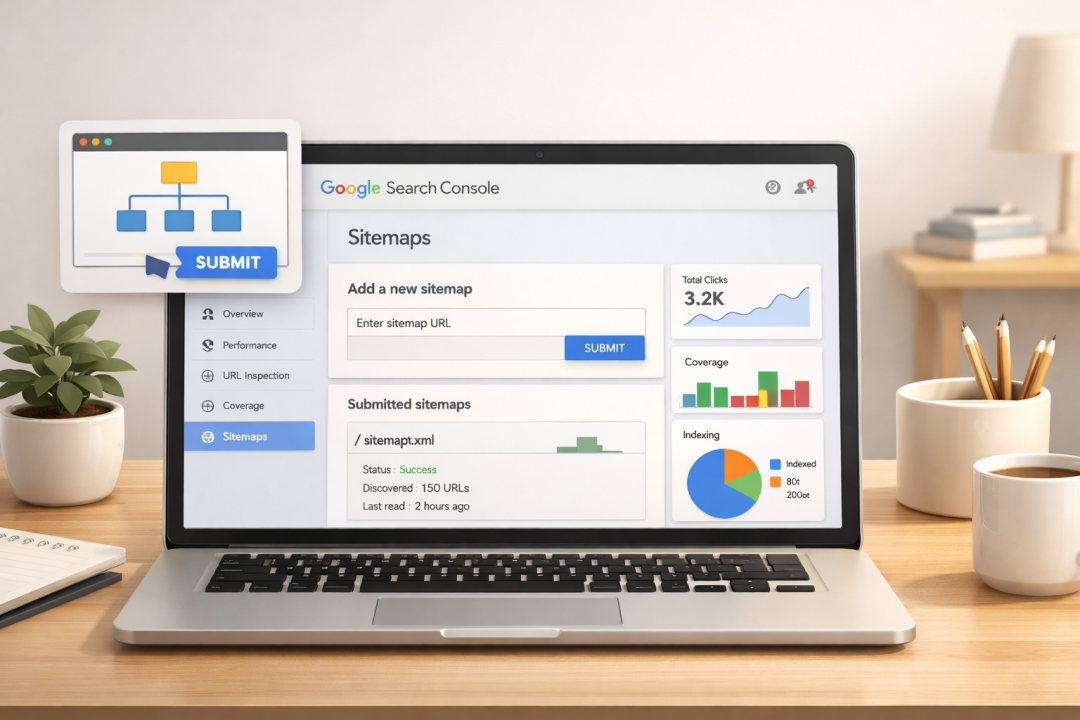
Google Search Console is a free tool that shows how your site performs in search.
It helps you:
- Monitor indexed pages
- Submit URLs
- Track keywords
- Identify errors
Why Google Search Console Matters
Without Search Console, you’re guessing. It provides real data directly from Google, helping you make informed SEO decisions.
How to Submit Your Sitemap
If using Rank Math, your sitemap is usually:
yourwebsite.com/sitemap_index.xml
Submit it in Google Search Console under Sitemaps. This allows Google to discover your pages faster.
Step 3: Keyword Research for Small Businesses
Keyword research means finding what people are already searching for.
Instead of targeting competitive terms, small businesses should focus on low-competition, high-intent keywords.
Start by listing:
- Customer problems
- Services you offer
- Common questions
Then validate ideas using:
- Google autocomplete
- People Also Ask
- Google Search Console
- Free keyword tools
Long-tail keywords convert better and are easier to rank for.
Step 4: On-Page SEO Basics
On-page optimization is especially important when learning SEO for small businesses because it directly affects how Google understands your pages.
Each page should target one primary keyword.
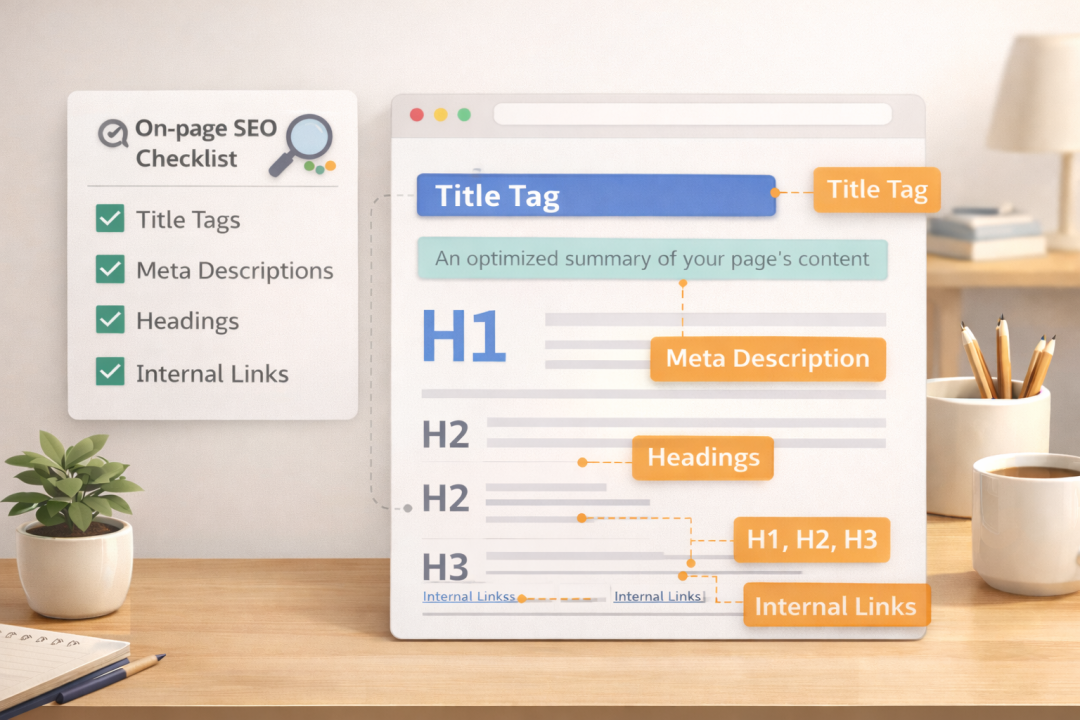
Key on-page SEO elements include:
Titles & Meta Descriptions
Keep titles under 60 characters and include your main keyword. Meta descriptions should be compelling and under 160 characters.
Heading Structure
Use:
- One H1
- H2 for sections
- H3 for subtopics
This improves readability and SEO.
Internal Linking
Connect related content to strengthen topical authority.
Use anchor text like:
- keyword research guide
- on-page SEO checklist
- SEO mistakes beginners make
Internal links help both users and search engines.
Step 5: Content Strategy for Small Business Growth
SEO success comes from structure, not randomness.
Start with one pillar article (like this guide), then publish supporting posts covering:
- keyword research
- technical SEO
- content optimization
- tracking performance
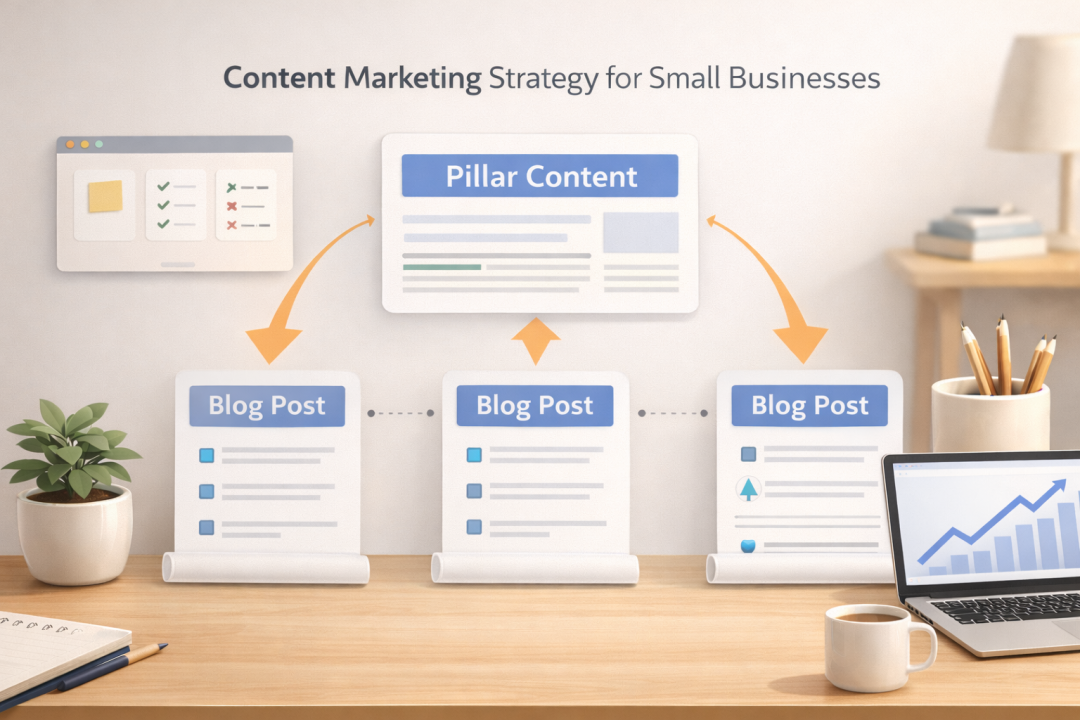
This builds topical authority.
Consistency matters more than frequency. Even one quality post per week is enough.
Step 6: Local SEO (If You Serve a Specific Area)
Local SEO helps your business appear in Google Maps and “near me” searches.
Create a Google Business Profile and ensure your:
- Business name
- Address
- Phone number
- Website
match everywhere online.
Include your city naturally in titles and content.
Local optimization dramatically increases visibility for service-based businesses.
Step 7: Tracking Results & Improving
SEO is ongoing.
Use Google Search Console to monitor:
- Click-through rates
- Ranking keywords
- Indexed pages
- Technical issues
Update older content regularly and expand posts that perform well.
Small improvements compound over time.
Common SEO Mistakes Small Businesses Make
Avoid these:
- Targeting highly competitive keywords
- Publishing thin content
- Ignoring internal links
- Not tracking performance
- Expecting instant results
SEO rewards patience and consistency.
Frequently Asked Questions (People Also Ask)
How long does SEO take for small businesses?
Most SEO for small businesses campaigns take 3–6 months to show noticeable results, depending on competition, content quality, and consistency.
Is SEO expensive?
No. Most SEO tools are free, and the biggest investment is time.
Can I do SEO myself?
Yes. Beginners can handle basic SEO with proper guidance and practice.
Do I need to submit every post to Google?
Not necessarily. Google indexes automatically, but manual submission can speed up discovery.
What is the most important SEO factor?
Helpful content aligned with search intent.
Final Thoughts + Next Steps
If you’re serious about SEO for small businesses, start by implementing just one step from this guide today and build momentum from there.
SEO for small businesses isn’t about hacks — it’s about building trust, creating valuable content, and improving gradually.
Start with strong foundations, publish helpful articles, optimize pages, and track performance.
Your next step should be creating supporting articles that expand on keyword research, on-page SEO, and content strategy.
With consistency, your website can become a reliable traffic source that fuels long-term business growth.
Recommended Reading: SEO for Small Businesses in 2026: A Complete Step-by-Step Beginner Guide